

Custom Logo Transfers for Small Businesses
A vector logo file, such as an SVG or print-ready PDF, is often a good starting point for custom logo transfers for small business. Vector artwork can be resized without losing sharpness, helping preserve crisp edges and fine details. A high-resolution PNG with a transparent background may also work.
Before ordering transfers for your business, consider how the logo will look on the chosen item. A small or blurry image can be difficult to reproduce clearly, so use the original artwork file where possible.
This guide covers suitable file types, logo ownership and copyright, and ways to find design inspiration. You’ll also find practical tips for preparing artwork and choosing transfers for your branding needs.
Key Takeaways
- Match your logo file to the transfer process, and prepare a clean version that keeps important details clear.
- Before using artwork created by someone else, clarify who owns it and what permission you have to reproduce it.
- Look for inspiration in your brand’s colours, values and the places customers will see your logo.
- Choose a transfer method by considering the item’s material, the design and how it will be used.
- Compare the practical differences between DTF, screen printing, heat-transfer vinyl, sublimation and UV DTF before deciding what suits your branding needs.
Logo file formats
The best file for a logo transfer depends on how the artwork was created and the transfer method. Vector formats such as SVG, EPS or AI are often a good starting point. Their shapes and lines can be resized without becoming pixelated, helping keep a logo crisp on items of different sizes.
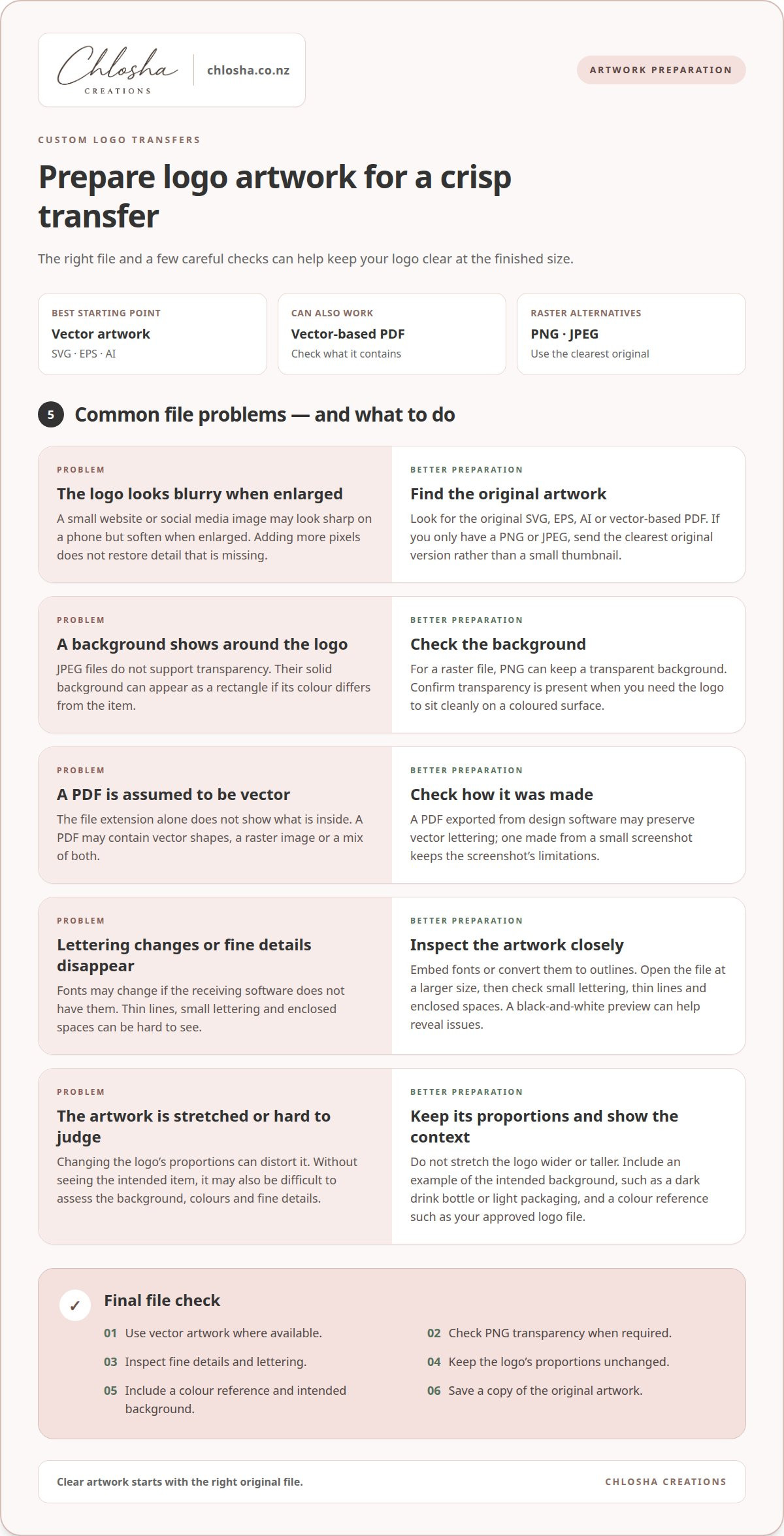
PDF can also work, but the file extension alone doesn’t tell you whether the artwork is vector. A PDF may contain vector shapes, a raster image or both. For example, a PDF exported from design software might preserve vector lettering, while one made from a small screenshot will retain the screenshot’s limitations.
Vector files: SVG, EPS and AI
Choose vector artwork for logos with crisp lettering, simple shapes or fine outlines. SVG is a common format for scalable graphics, while EPS and AI files can preserve editable artwork from design software. Before sending a file, check that fonts are embedded or converted to outlines. Otherwise, lettering may change if the receiving software doesn’t have the same font.
Some logos include gradients, shadows or layered effects that may look different when opened in another programme. Save a copy of the original, export a print-ready version, then inspect it at a larger size. A simple black-and-white preview can reveal gaps, overlapping shapes or thin details that disappear against the background.
Raster files: PNG and JPEG
PNG and JPEG files are made from pixels, so enlarging them can soften edges. PNG can keep a transparent background, which is useful when a logo needs to sit cleanly on a coloured surface. JPEG doesn’t support transparency, so its solid background can appear as a rectangle around the artwork, especially when its colour differs from the item.
Use the original, largest version of a raster logo rather than a website or social media thumbnail. A small profile image, for example, may look sharp on a phone but become blurry when enlarged for a transfer. Increasing a low-resolution image’s pixel dimensions won’t restore missing detail.
Before sending artwork, follow this short check:
- Find the original SVG, EPS, AI or vector-based PDF, if available.
- For PNG, check that the background is transparent when required.
- Open the file and inspect small lettering, thin lines and enclosed spaces.
- Keep the logo’s proportions; don’t stretch it wider or taller.
- Include a colour reference, such as your brand’s approved logo file.
If you only have a PNG or JPEG, send the clearest original version. Include an example of the intended background, such as a dark drink bottle or light packaging. This context helps show whether the background, colours and fine details will work on the finished transfer.
Logo ownership and copyright
Before printing a logo on packaging, uniforms or drink bottles, establish who owns the artwork and what use is permitted. A business name on a design doesn’t automatically show who controls the artwork itself. For example, a freelance designer’s logo may come with agreed usage rights, while a stock graphic may have separate licence conditions.
Start with the original design agreement, invoice or licence. Look for terms covering ownership, reproduction, products, territories and ongoing use. Permission to display a logo on a website may not clearly cover printing it on merchandise. If the document doesn’t mention transfers or physical products, get written clarification before ordering.
Check the different elements in the artwork. A logo might combine original lettering, a purchased icon, a stock illustration and a typeface, each with different terms. A designer may provide the finished logo file, for example, while a third-party icon still has limits on commercial reproduction. Keep the relevant licences with the final artwork.
If a staff member or contractor created the design, keep a record of the arrangement. Save emails, signed terms and dated file handovers together. If the designer supplied several versions, note which file is approved for production. This helps prevent an old concept or unapproved colourway being sent for printing.
Copyright and trade marks serve different purposes. Copyright relates to creative artwork, while a trade mark identifies goods or services as coming from a particular business. A logo can involve both, so copyright permission doesn’t automatically grant permission to use another organisation’s brand identity. Adding a well-known sports logo to a promotional item, for example, needs separate consideration from printing your own business mark.
Use this simple rights check before production:
- Identify who created the logo and who controls the supplied artwork.
- Read the agreement and relevant licences for commercial reproduction.
- Confirm permission covers the intended items, such as packaging or merchandise.
- Keep written approval, final artwork and any licence documents together.
- Pause use of borrowed logos, mascots or branded graphics until you have permission.
If you commissioned a logo, ask for the final usage terms to be written clearly. List planned uses, such as product labels, event merchandise or customer gifts. If ownership or licensing remains unclear, seek advice from a New Zealand intellectual property professional before production. Clear records make repeat orders easier and help your team use the approved artwork consistently.
Transfer logo inspiration
Start with the item you want to brand, then choose a transfer style that suits its material and use. Logo inspiration should support your brand identity and remain clear at the finished size.
Transfer types and inspiration
DTF, screen-printed transfers, heat-transfer vinyl and sublimation are used for garment branding, while UV DTF is for hard surfaces. Each process handles colour, detail and materials differently, so compare the item and artwork first. Find inspiration in your packaging, shop displays and brand colours. A café might adapt a cup icon, while a garden business could use a leaf motif.
Fabric and garment colour suitability
The fabric affects which garment transfer is suitable. DTF and screen-printed transfers can suit different garment fabrics, while sublimation is generally suited to polyester and light-coloured garments. Heat-transfer vinyl can create a bold, single-colour mark on compatible fabrics. Dark garments may need a transfer designed to show clearly against the fabric, so consider contrast and process requirements.
How much do transfers cost in New Zealand? The total depends on the transfer method, artwork preparation, design size, quantity and delivery destination. Setup and shipping may be separate charges, so compare the full order total in NZ dollars.
What is the minimum order quantity? It varies by supplier and production method. Check whether the minimum applies per design, colour or order, as this can affect how you plan a small run.
Which New Zealand suppliers offer them? Specialist transfer businesses and print shops are options to consider. Compare their processes with your garment, artwork and order size, then choose a suitable match for your branding needs.
How do you apply garment transfers, and what equipment is needed? Many garment transfers require a heat press, although the process depends on the transfer type. Follow the transfer’s instructions for positioning, temperature, pressure and peel timing. A test garment can help you practise.
How durable are transfers, and how should garments be washed? Wear depends on the transfer, fabric, application and care. Follow the garment-care directions supplied with the transfer, and wash gently to help protect the design.
What are turnaround times and shipping options in New Zealand? Production time depends on the supplier’s workflow and order details. Delivery depends on the destination and available shipping service, so factor both into your event or launch planning.
For a clearer brief, note the garment type, colour, logo size, placement and intended quantity. A chest logo on a cotton tee differs from a large back design on a polyester top. These details make comparisons more useful and help narrow down the transfer method for your project.
What types of custom logo transfers are available for small businesses in New Zealand?
New Zealand businesses can use transfers for garments, drinkware, packaging and other branded items. The right type depends on the surface, artwork, order size and how customers will use the finished product. A café branding staff tees needs a different process from a candle maker decorating glass jars.
UV DTF transfers are made for smooth, hard surfaces, such as suitable drink bottles, jars and selected packaging. They create a clean design without a background around the logo. They aren’t garment transfers, so choose another method for fabric uniforms or cotton merchandise.
Direct-to-film (DTF) transfers are made for garment decoration. They can reproduce multicolour artwork, making them useful for detailed logos on tees, hoodies or workwear. A landscaping business could use them for staff garments, while a market stall might brand a small run of event shirts.
Screen-printed transfers suit designs prepared for screen printing and can work well for repeat garment branding. A business ordering the same simple logo for a staff team may value consistent placement across the run. The artwork and production setup influence whether this method suits a particular quantity or design.
Heat-transfer vinyl uses cut shapes applied to garments, often for simpler designs or lettering. It can suit a one-colour business name on an apron or a staff member’s role on a uniform. Very fine lettering and intricate multicolour artwork may need another process for a clear result.
Sublimation uses heat to transfer dye into compatible materials. It is commonly used for polyester garments and specially coated items, rather than every fabric or surface. A sports club ordering polyester tops might consider it, while a cotton uniform needs a different approach.
Some small businesses also use printed labels or decals for non-garment branding. A skincare maker might brand packaging, for example, while a mobile dog groomer could label equipment. Match each transfer to the item’s surface instead of assuming one method suits every product.
Before choosing, note the item, material, colour, logo size and intended use. Then compare the transfer’s application method, artwork requirements and order quantities. A bakery branding aprons and takeaway containers may need two processes because fabric and packaging surfaces differ. Planning for each product helps keep the logo recognisable across different touchpoints.
For a first order, consider where customers will notice the logo most. A small chest mark can suit staff uniforms, while a clear mark on packaging supports recognition at collection or delivery. Keep the design consistent, adapting its size and placement to each item. This gives a New Zealand small business a practical way to build cohesive branding without using one transfer type on every surface.
How do DTF, screen-printed, heat-transfer vinyl, and sublimation logo transfers compare?
These four methods differ in how they reproduce artwork and suit garments. Compare colour detail, fabric compatibility, design style and application requirements before choosing a transfer for uniforms or merchandise.
DTF transfers
Direct-to-film transfers can reproduce detailed, multicolour artwork, including gradients and small illustrated elements. Applied to garments with heat and pressure, they can suit logos with several colours or fine shapes. A café, for example, could use DTF for a badge combining lettering with a detailed coffee cup. Check compatibility with the garment fabric and follow the specific transfer’s application instructions.
Screen-printed transfers
Screen-printed transfers suit artwork with clear colour areas and repeated designs. A bold logo with a few solid colours, such as a market stall name across team tees, may suit this approach. Each colour can require its own screen, so artwork complexity and order quantity can affect production. Consider this method for a consistent design repeated across multiple garments.
Heat-transfer vinyl
Heat-transfer vinyl is cut into shapes or lettering before application. It can suit a simple, solid-colour business name on an apron or a short role title on a work shirt. Consider intricate graphics and fine lettering carefully, as small cut details can be difficult to handle. Its defined shapes look different from a printed, full-colour image.
Sublimation
Sublimation transfers dye into compatible materials using heat. It is commonly suited to polyester garments and light-coloured fabrics, such as a white sports top with a large, colourful design. The dye integrates with the material rather than forming a separate printed layer. Check the garment’s composition and colour first, as this method isn’t a general fit for cotton or dark garments.
Use these comparisons to shortlist a method:
- Fine, multicolour artwork: compare DTF with screen-printed transfers, considering the detail and quantity.
- Simple lettering or shapes: consider heat-transfer vinyl for a defined, solid-colour design.
- Light polyester sportswear: consider sublimation for artwork that suits the fabric and colour.
- Mixed garment fabrics: compare the available methods separately for each material.
Look at the complete job, not just the logo file. A small chest mark, a large back graphic and a sleeve detail each place different demands on size and clarity. A business ordering cotton aprons alongside polyester event shirts may need more than one method. Listing the garment, colour and placement for each design makes it easier to compare application instructions.
Before deciding, consider the finished appearance and how the garments will be used. Workwear for a hands-on role may need different care from a one-off event shirt. Review application and washing guidance for the selected transfer, and make sure the artwork remains legible at its planned size. Comparing garment, design and use helps you choose a suitable method for your branding project.
Chlosha Creations: Personalised Name Labels
Chlosha Creations is a practical option if your business needs personalised labels to identify everyday items rather than garment logo transfers. A childcare provider, for example, can use name labels to identify drink bottles and lunchboxes, while a school or kindy can help families label children’s belongings.
Choose Personalised Name Labels for clear names, or Personalised Icon + Name Labels when a visual cue helps with quick identification. Kids Name Labels and School Name Labels also suit families preparing gear for school, daycare or kindy. These labels identify personal belongings rather than brand business logos on garments.
Explore the personalised name labels for everyday items, or visit chlosha.co.nz to find an option that suits your needs.
Make your next branding step count
Choose an item your customers handle often, then decide how its branding should look and function. A well-placed logo on packaging, a staff garment or a reusable business item can make everyday interactions more recognisable. Start with the use case, then match the artwork and transfer method to the surface.
For custom logo transfers for a small business, start with a clear brief. Note the item, material, colour, logo placement and intended use before arranging production. This gives you a focused starting point and helps keep future branded items visually consistent.
If you’re ready to explore a branding option for your business, contact Chlosha Creations and take the next step at a pace that suits you. A clear plan can turn a logo into a considered part of your customer experience.
Frequently Asked Questions
What kind of files do I get with my transfer logo?
A logo transfer is the printed design on an item, not a pack of editable logo files. Keep your original artwork files separately so you can reuse them for future branding. Save the approved logo alongside any colour variations and permission records, for example. If you need a particular digital file from a designer, arrange that separately as part of the artwork handover.
What artwork file formats, resolution, and colour requirements do transfer printers need?
Supply high-resolution PNG artwork with a transparent background, or a PDF; vector artwork is recommended for logos and fine text. For a clean, background-free look, check that your artwork is prepared to suit the finish you want. The printed appearance of artwork may differ from how it looks on screen. Leave 5-10 mm between separate designs where possible, and avoid tiny text or very fine lines.
What intellectual property permissions are needed to print a business logo on transfers?
Use artwork you own or have permission to reproduce. If a designer created your logo, keep written terms covering production on physical items. Check licences for any stock icons, fonts or illustrations in the artwork. Permission to use an image online, for example, may not cover printed merchandise. Don’t submit another business’s logo or a protected character without appropriate permission.
